AI-POWERED COACHING BLOG

Discover the possibilities with AI-Powered coaching assistants for coaching scalability

Enhanced Avatar Switching, MG User Support & Multi-Avatar Access (Continued)

Welcome to MaxGood.Work’s Coaching Platform Blog
Feature Release & Enhancements – Update #3

In our previous update, we introduced the ability for Avatar Owners and Administrators to seamlessly switch between multiple avatars using a single drop-down switcher.

Today, we’re excited to bring you new updates to the “Multiple Avatar Access with a Single Account” feature, along with key improvements in security, user experience, and system performance.

What’s New?

We’ve made significant changes to the MaxGood AI Coaching Platform to enhance functionality and streamline the user experience.

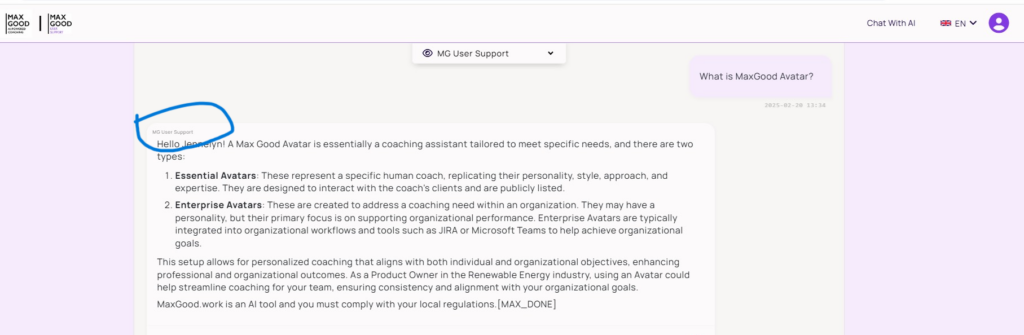
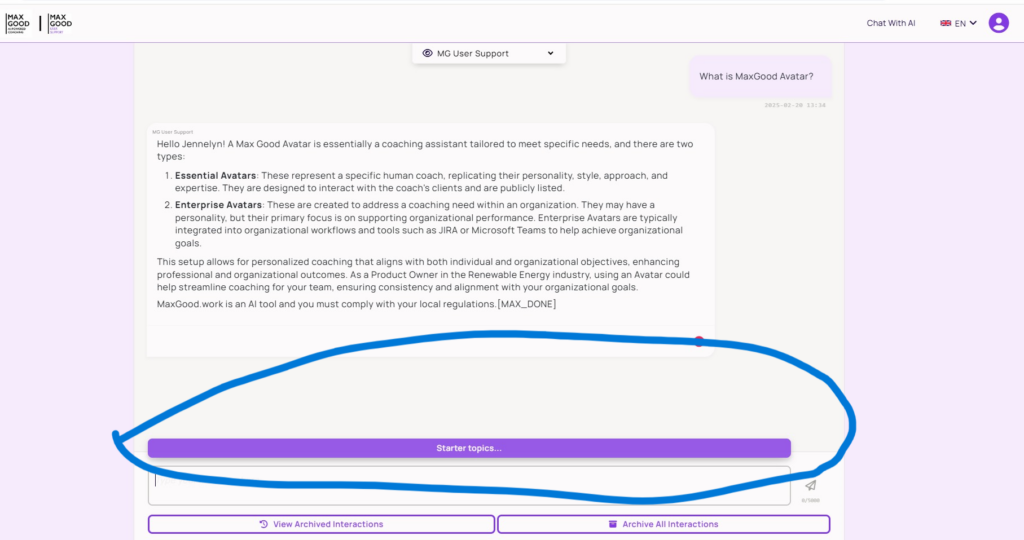
Avatar Labels on Interactions
    • Users can now see the name of the avatar they interacted with as part of each response.
    • Every interaction will carry a clear label identifying the avatar, providing better user experience and context.

The image below depicts the avatar name label added to the avatar response during a user interaction. 

Improved Avatar Switching – Dropdown Selector
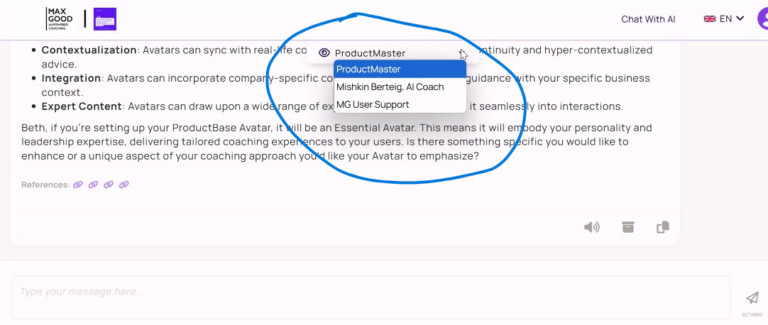
    • We’ve removed the character selector tab and replaced it with an intuitive drop-down menu for switching between coaching avatars.
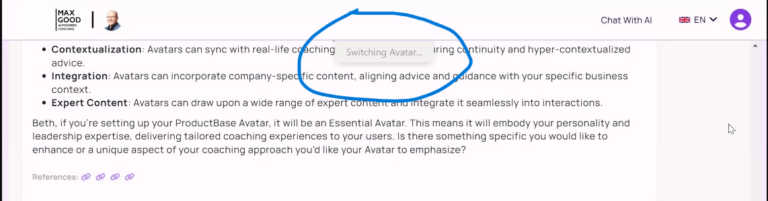
    • When users click switch avatars, the system shows the user the current state of the action with a status “switching avatar” 
    • Users no longer need to navigate between LLM tabs—instead, they can select an avatar using the drop-down next to their active avatar.
    • This ensures a smoother, more efficient experience for users part of multiple avatars.

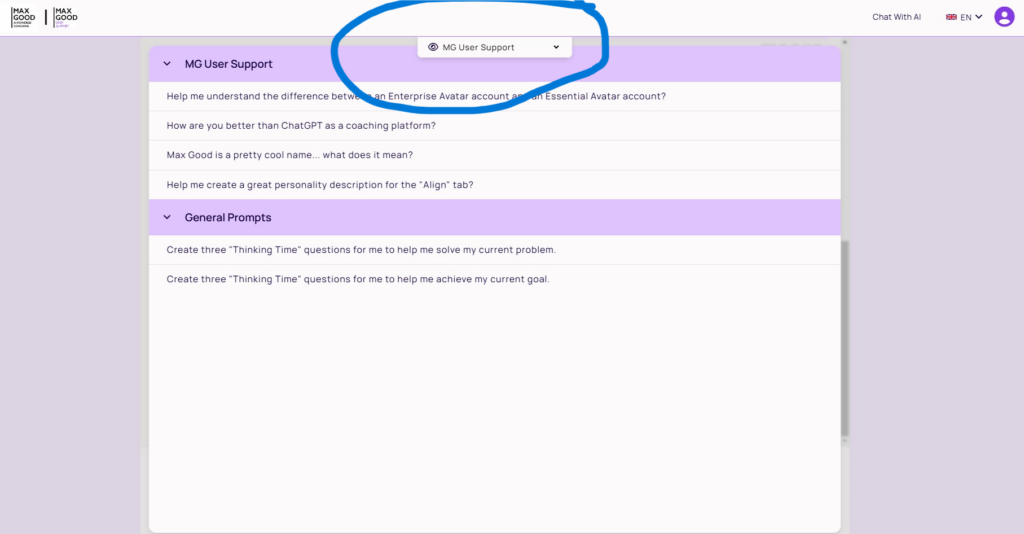
The attached image below depicts the previous character selector on MaxGood.Work, the modifications for Avatar selector and how avatar switching works.

Previous Character Selector tab
New Avatar Drop-down Selector
Avatar switching action status
MaxGood AI is Now “MG User Support”
  • MaxGood AI has been rebranded as MG User Support, dedicated to assisting users in navigating the MaxGood platform.
  • MG User Support provides guidance on understanding platform features, troubleshooting, and using AI coaching avatars effectively.
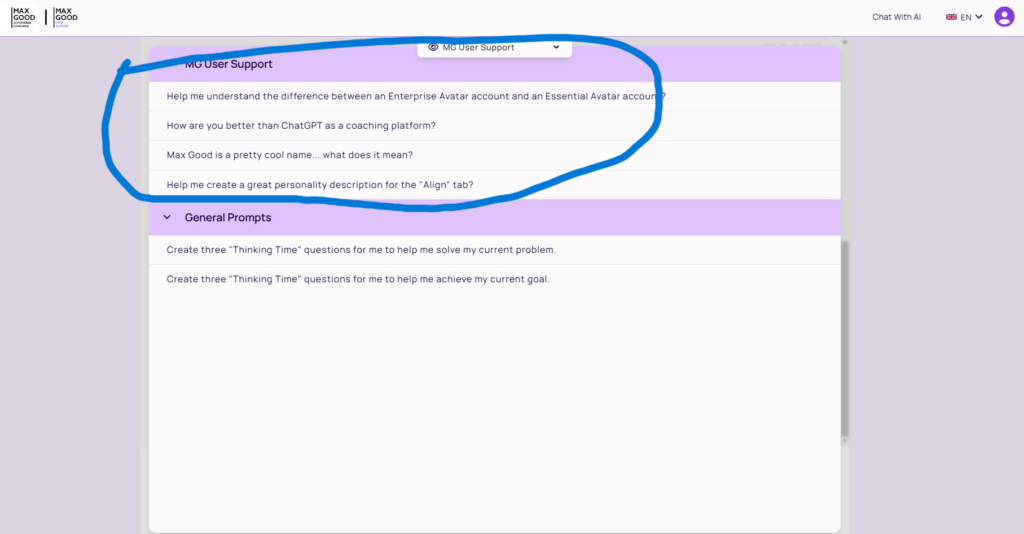
  • Like every other avatar, MG User Support includes a starter prompt to guide users in their interactions
  • Every user now has access to MG User Support alongside any other avatars they are a member of.

The attached image below depicts the MG User Support Feature and How to Find The Starter Prompt

Other Updates in This Release Publication: 

Fixed a major browser compatibility issue related to how browsers handle cookies.
Updated Hero Section Messaging to better reflect targeted coaching verticals.
Enhanced Security & System Performance with several key improvements.

Share the Post:

Don’t Have an AI Coaching Avatar Yet?

If you’re exploring how AI can support your coaching, training, or consulting work, the best way to experience MaxGood.work is by creating your own AI coaching avatar.

Your avatar is built around your expertise, your content, and your coaching philosophy, allowing you to extend your impact without losing the human connection that makes your work valuable.

With a MaxGood.work AI coaching avatar, you can:

  • Support clients between sessions

  • Deliver consistent, high-quality guidance at scale

  • Free up time while maintaining trust and personalization

  • Grow your coaching business responsibly with AI

You can explore available free and paid plans and get started here:

👉 Get your AI Coaching Avatar on MaxGood.work https://blog.maxgood.work/pricing/

Don’t Have an AI Coaching Avatar Yet?

See some examples of use cases of AI-Powered Coaching Use Cases For Independent and Enterprise Coaches

Join 300+ coaches who get weekly tips and strategies on AI-Powered coaching and how to scale a coaching business.

Related Posts

Key Features to Look for in AI Coaching Avatar Platform

Key Features to Look for in AI Coaching Avatar Platform